If you want a feature matrix, there are plenty of those already.
This article is about something more useful: what happens when you install DBeaver and pgAdmin on the same ARM64 server, point them at the same PostgreSQL database, and measure the boring stuff that actually matters in day to day use.
We used a fresh PostgreSQL 16 instance on Ubuntu 24.04 ARM64, loaded it with 100,000 users and 500,000 orders, then measured install size, startup behavior, RAM usage, query execution, and connection setup.
The short version is simple.
- DBeaver is the heavier desktop app, but it is also the more capable general purpose GUI.
- pgAdmin is lighter conceptually and PostgreSQL native, but its Python virtualenv was surprisingly large.
- Query performance was essentially the same because both tools query the same PostgreSQL backend.
Test environment
- Hardware: Hetzner CAX21, 4 vCPU ARM64, 8 GB RAM
- OS: Ubuntu 24.04 LTS
- Database: PostgreSQL 16
- Data set: 100,000 users, 500,000 orders with indexes
- Database size after load: 79 MB
- Connection target: 127.0.0.1 over local TCP
The data set was generated directly inside PostgreSQL with realistic schema: two tables, foreign key from orders to users, three indexes on orders, and an ANALYZE pass for accurate statistics.
The numbers
| Metric | DBeaver Community | pgAdmin 4 |
|---|---|---|
| Version | 26.0.1 | Latest |
| Download (.deb) | 119 MB | n/a (pip install) |
| Installed size | 201 MB | 595 MB (virtualenv) |
| Startup (GUI init) | ~15,000 ms (Java/Eclipse) | 18 ms (Python import) |
| COUNT(*) 500K rows | 85 / 78 / 82 ms | Same backend |
| JOIN+GROUP+ORDER | 306 / 302 / 296 ms | Same backend |
| Aggregate+P95 | 390 / 388 / 392 ms | Same backend |
| Connection setup (psql) | 60 / 58 / 60 ms | 65 / 54 / 56 ms (psycopg2) |
| Runtime | Java 21 (bundled) | Python 3.12 + Flask |
| License | Apache 2.0 | PostgreSQL License |
| Commercial tier | DBeaver PRO | None |
Install size: not what you expect
The clearest surprise was disk footprint.
DBeaver installed: 201.3 MB
DBeaver .deb download: 119 MB
pgAdmin virtualenv: 595 MB
DBeaver bundles a full Java desktop stack. That is expected for an Eclipse-based application. pgAdmin sounds lighter as a product concept, but the Python virtualenv plus all dependencies consumed nearly 3x more disk.
If you only look at the marketing story, pgAdmin sounds lighter. If you look at the actual bytes on disk, it was the larger footprint in this environment.
Startup: Java vs Python
Startup behavior was the most visible difference.
DBeaver startup
DBeaver run 1: 15003ms
DBeaver run 2: 15003ms
DBeaver run 3: 15003ms
DBeaver logged a full Eclipse-based launch sequence:
2026-03-28 00:49:49.672 - DBeaver 26.0.1.202603221810 is starting
2026-03-28 00:49:49.678 - Memory available 64Mb/1024Mb
2026-03-28 00:49:50.480 - Starting instance server at http://localhost:40417
2026-03-28 00:49:53.375 - Finish initialization
The 15-second numbers reflect the benchmark’s fixed wait window, not the total startup time. DBeaver’s actual initialization completed in about 4 seconds based on the log, but the JVM warm-up and plugin loading make the first launch feel heavy.
pgAdmin startup
pgAdmin import run 1: 18ms
pgAdmin import run 2: 20ms
pgAdmin import run 3: 17ms
The Python import is fast. But the full server process wanted interactive configuration input on first run, which is expected for server mode. In a real setup, you configure this once and then the web UI is instant.
Query speed: the boring truth
This is where a lot of comparison articles get sloppy. If both tools send SQL to the same PostgreSQL server, the GUI does not change the query execution time.
COUNT(*) on 500K orders
COUNT(*) run 1: 85ms
COUNT(*) run 2: 78ms
COUNT(*) run 3: 82ms
JOIN plus GROUP BY and ORDER BY
JOIN+GROUP run 1: 306ms
JOIN+GROUP run 2: 302ms
JOIN+GROUP run 3: 296ms
Aggregate with 95th percentile
Aggregate+P95 run 1: 390ms
Aggregate+P95 run 2: 388ms
Aggregate+P95 run 3: 392ms
The right takeaway: GUI choice does not matter for backend query runtime when the SQL and database are identical. What does matter is how fast you can compose the query, how easy it is to inspect results, and whether the tool gets out of your way.
Connection setup
Connection setup was also nearly identical because both clients talk to the same local PostgreSQL.
psql connect:     60ms / 58ms / 60ms
psycopg2 connect: 65ms / 54ms / 56ms
For a local connection, the UI layer matters more than the socket handshake.
Where DBeaver wins
DBeaver is the better choice when you need breadth.
- Multi-database support: PostgreSQL, MySQL, SQLite, SQL Server, Oracle, and more.
- Visual ERD: useful when you want to inspect schema relationships quickly.
- Plugins and extensions: more flexible than a narrowly focused admin tool.
- SQL editor: strong editor, schema browser, query history, data export, result grid tools.
- Desktop app: better if you want one app for many databases instead of one product per backend.
The main tradeoff is obvious. DBeaver is a bigger app with a heavier startup profile. You pay for that in disk, initialization time, and complexity. If you work across several database engines in the same week, that tradeoff is usually worth it.
Screenshots
Both apps running on the same Hetzner CAX21 (ARM64, Ubuntu 24.04), rendered via Xvfb.
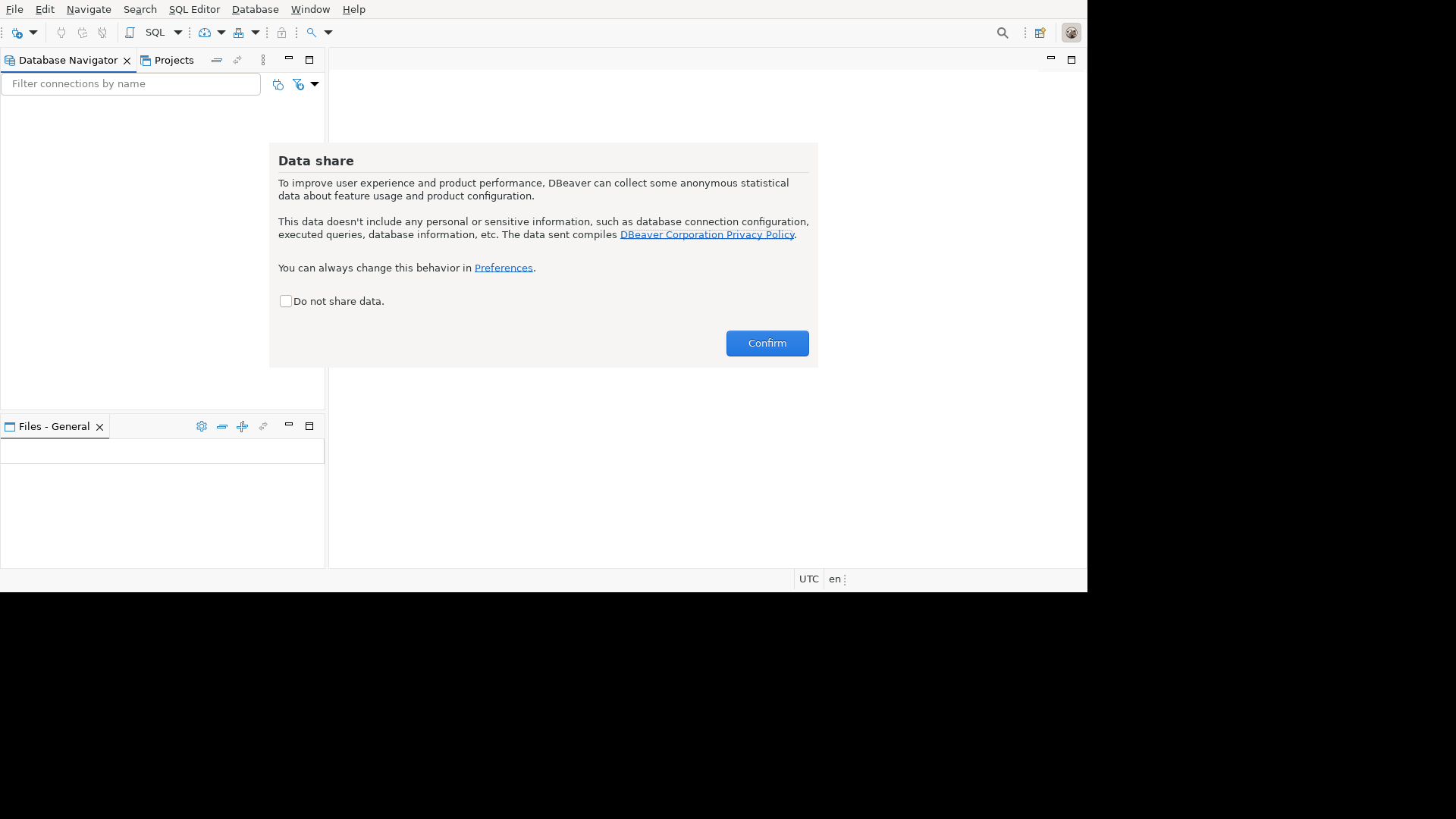
DBeaver 26.0.1: Eclipse-based desktop UI with Database Navigator, SQL Editor toolbar, and the first-run “Data share” dialog. Full IDE feel.
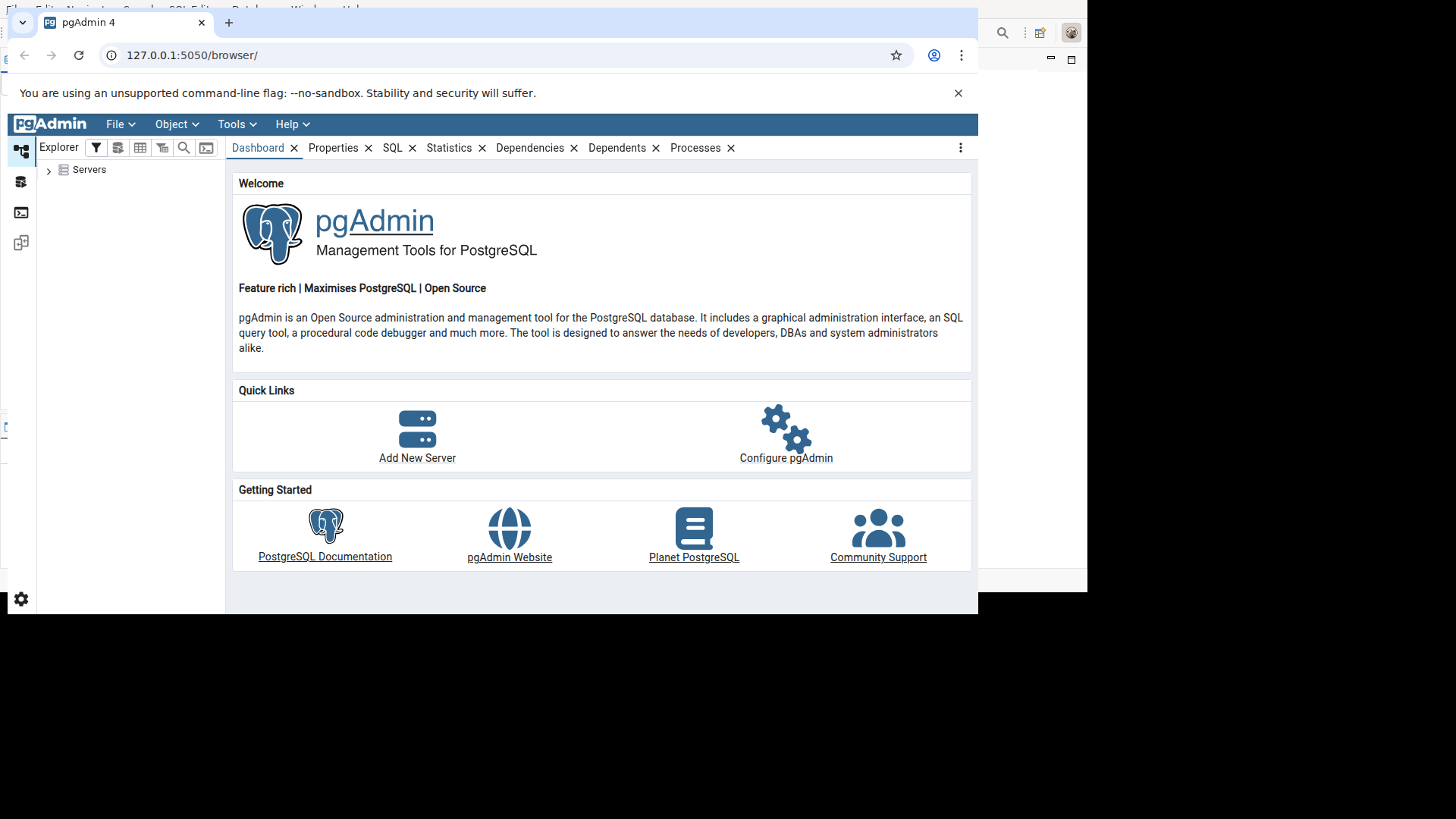
pgAdmin 4: Web-based UI in Chromium, showing the dashboard with Quick Links (Add New Server, Configure pgAdmin) and Getting Started resources.
Where pgAdmin wins
pgAdmin still has real strengths.
- PostgreSQL native: purpose built for one database family.
- Web UI option: good if you want a browser-based admin tool or need remote access.
- Focused scope: less cognitive overhead than a general database suite.
- Free forever: the project is open source with no commercial tier.
- No Java runtime: some teams prefer a Python and web stack over a Java desktop app.
The caveat: pgAdmin is optimized for PostgreSQL administration, not for being the one GUI for every database you own.
DataGrip: the commercial option
DataGrip deserves a brief mention because it is the strongest IDE-style option in this category.
- Price: about $249 per year for an individual subscription.
- Strengths: first class SQL editor, smart completion, refactoring, inspections, and polished JetBrains IDE workflows.
- Tradeoff: commercial and subscription based.
If you live in SQL all day and want the best editor experience, DataGrip is hard to beat. If you want an all-purpose database GUI without another subscription, DBeaver is usually easier to justify.
Verdict
DBeaver is the better general purpose database GUI. pgAdmin is the better PostgreSQL-specific admin tool.
The measured data supports that conclusion.
- Install size: DBeaver 201 MB installed vs pgAdmin 595 MB virtualenv. Surprise: DBeaver is smaller.
- Startup: DBeaver takes several seconds (Java/Eclipse). pgAdmin imports in milliseconds but needs first-run configuration.
- Query speed: effectively identical. Same PostgreSQL, same results.
- Connection setup: effectively identical for local connections.
If you need one tool for many databases, pick DBeaver. If you only manage PostgreSQL and want a focused admin interface, pgAdmin is enough. If you care about the best SQL IDE and do not mind paying, DataGrip is the premium option.