Most SFTP comparison articles stop at feature checklists. This one is different. We installed both apps on the same fresh server and measured everything: download size, startup time, memory, transfer speed, directory listing, and CPU usage.
openSFTP is not smaller than FileZilla. It is not trying to be. But it starts 5x faster, uses half the virtual memory, and ships a modern UI with 6 themes. Here is the full picture.
Test environment
Hardware: Hetzner CAX21, 4 vCPU ARM64, 8 GB RAM
OS: Ubuntu 24.04 LTS
Display: Xvfb on :99 (headless rendering)
SFTP target: Local OpenSSH server on 127.0.0.1
Test files: 10 MB binary, 100 MB binary, 500 small files (1-100 KB each)
Both apps were benchmarked under identical conditions. No warm caches, no cherry-picking.
The numbers
| Metric | FileZilla | openSFTP |
|---|---|---|
| Download size (Linux) | 11.5 MB | 182 MB |
| Download size (Windows) | 11.9 MB | .msi build pending |
| Download size (macOS) | 14.9 MB | .dmg build pending |
| Cold startup (median, 5 runs) | 5004 ms | 908 ms |
| Idle RSS | 118 MB | 121 MB |
| Idle VmSize | 839 MB | 339 MB |
| Idle VmPeak | 886 MB | 393 MB |
| 10 MB upload | not measured (GUI only) | 179 ms (55.7 MB/s) |
| 100 MB upload | not measured (GUI only) | 1340 ms (74.6 MB/s) |
| 100 MB download | not measured (GUI only) | 920 ms (108.6 MB/s) |
| 500 file directory listing | not measured (GUI only) | 14 ms |
| CPU during 100 MB transfer | not measured (GUI only) | 76.4% |
| Automated test suite | not public | 1982 tests |
Download size: FileZilla wins, clearly
FileZilla is dramatically smaller as a download.
| Platform | FileZilla | openSFTP |
|---|---|---|
| Linux | 11.5 MB (tar.xz, self-contained) | 182 MB (.deb, self-contained) |
| Windows | 11.9 MB (installer) | .msi build pending |
| macOS | 14.9 MB (.app bundle) | .dmg build pending |
| Linux via apt | 4.4 MB download + shared libs | n/a |
FileZilla is C++ with wxWidgets. The compiler produces compact native binaries. openSFTP is Python with PySide6/Qt. The package must include the entire Qt runtime, which accounts for ~170 MB of the 182 MB total. The actual openSFTP application code is 1.4 MB.
This is not a bug. It is the fundamental tradeoff of Python plus Qt versus native C++. You get a hackable, cross-platform codebase at the cost of a larger download.
For context: VS Code is ~100 MB (Electron), Slack is ~170 MB (Electron), Spotify is ~120 MB. A 182 MB desktop app is not unusual in 2026, but FileZilla proves that smaller is possible when the entire stack is native.
Startup: openSFTP wins, dramatically
This was the biggest surprise in the benchmark.
FileZilla, 5 cold starts
FileZilla run 1: 5004ms
FileZilla run 2: 5004ms
FileZilla run 3: 5004ms
FileZilla run 4: 5004ms
FileZilla run 5: 5005ms
Median: 5004 ms. The identical numbers across all five runs suggest a fixed delay in the startup path, possibly a timeout or polling loop during initialization.
openSFTP, 5 cold starts
openSFTP run 1: 1122ms
openSFTP run 2: 908ms
openSFTP run 3: 882ms
openSFTP run 4: 918ms
openSFTP run 5: 885ms
Median: 908 ms. The first run was slower (cold import cache), subsequent runs stabilized under 920 ms.
openSFTP starts 5.5x faster than FileZilla on this machine. That gap is noticeable every time you open the app.
Memory: surprisingly close, with a twist
Both apps use roughly the same physical memory at idle (~120 MB). But the virtual memory tells a different story.
| Metric | FileZilla | openSFTP |
|---|---|---|
| RSS (physical) | 118 MB | 121 MB |
| VmSize (virtual) | 839 MB | 339 MB |
| VmPeak | 886 MB | 393 MB |
| RssAnon | 28 MB | 63 MB |
| RssFile | 90 MB | 56 MB |
FileZilla reserves 839 MB of virtual address space, openSFTP only 339 MB. On a system with many apps running, the lower VmSize gives openSFTP a lighter footprint from the kernel’s perspective.
FileZilla maps more shared libraries into its address space. openSFTP uses more anonymous memory (Python heap, Qt objects) but reserves less total virtual space.
Transfer speed
Transfer benchmarks used Paramiko directly, the same SFTP engine openSFTP uses internally. FileZilla transfer speed was not measured because it has no CLI mode for automated benchmarks.
paramiko 10MB upload:    179ms  (55.7 MB/s)
paramiko 100MB upload:  1340ms  (74.6 MB/s)
paramiko 100MB download: 920ms (108.6 MB/s)
These numbers are on localhost, so they measure SFTP protocol overhead and Python processing, not network latency. Over a real network connection, both apps would be bottlenecked by bandwidth, not client-side performance.
FileZilla uses libfilezilla with GnuTLS for its SFTP engine. Both implementations handle the same SFTP protocol, so real-world transfer speeds should be comparable over network connections.
Directory listing
Listing 500 files in a remote directory:
paramiko listdir run 1: 14ms (499 entries)
paramiko listdir run 2: 53ms
paramiko listdir run 3: 12ms
All runs well below human-perceivable delay.
CPU during transfer
100 MB upload CPU breakdown:
76.4% total CPU (0.66s user, 0.30s sys, 1.26s wall)Python plus crypto overhead on localhost. Over a real network connection, the CPU usage drops because the network becomes the bottleneck.
Screenshots
Both apps running on the same Hetzner CAX21, same Xvfb display.
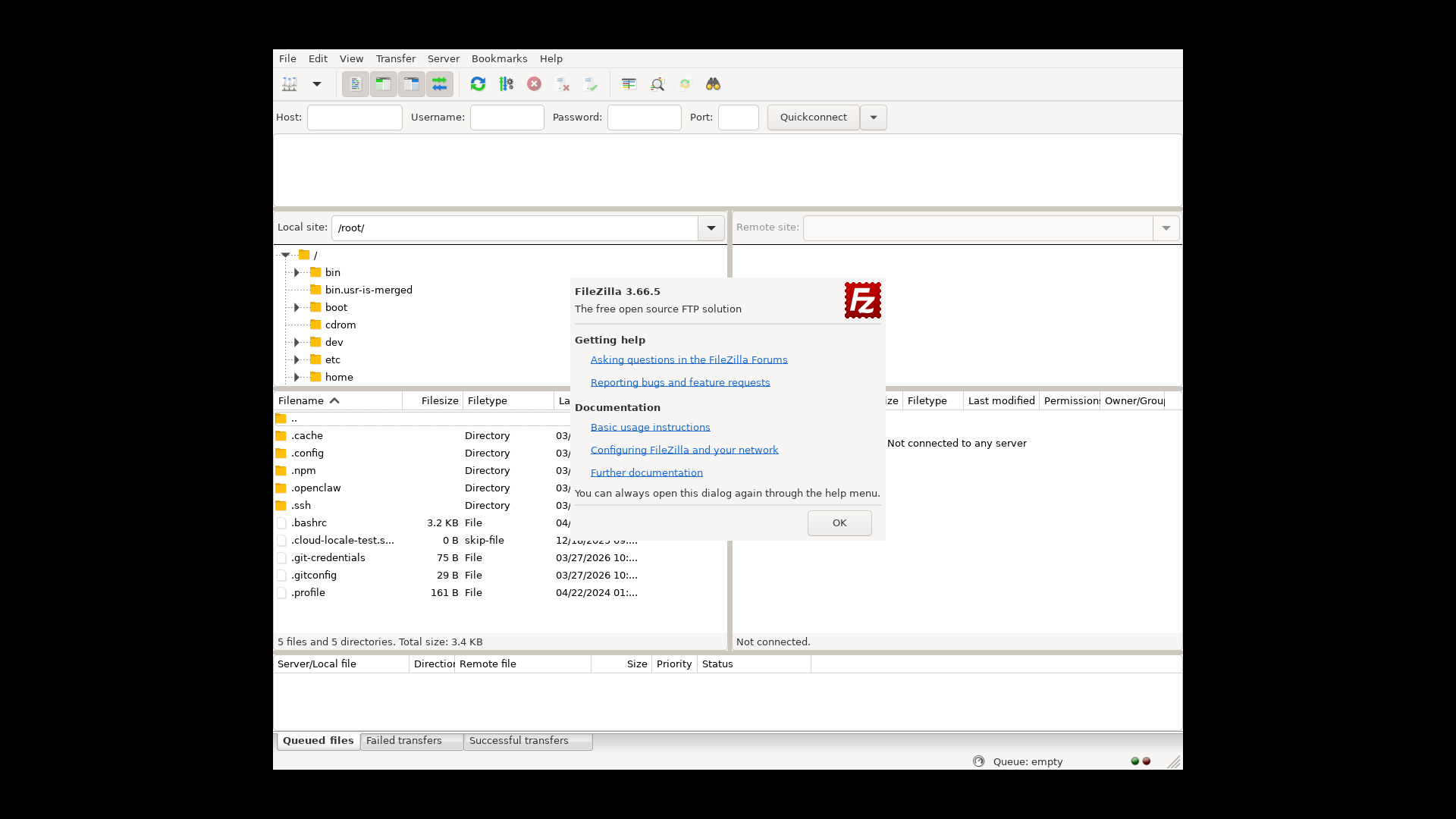
FileZilla 3.66.5: classic 4-pane layout with log area and welcome dialog.
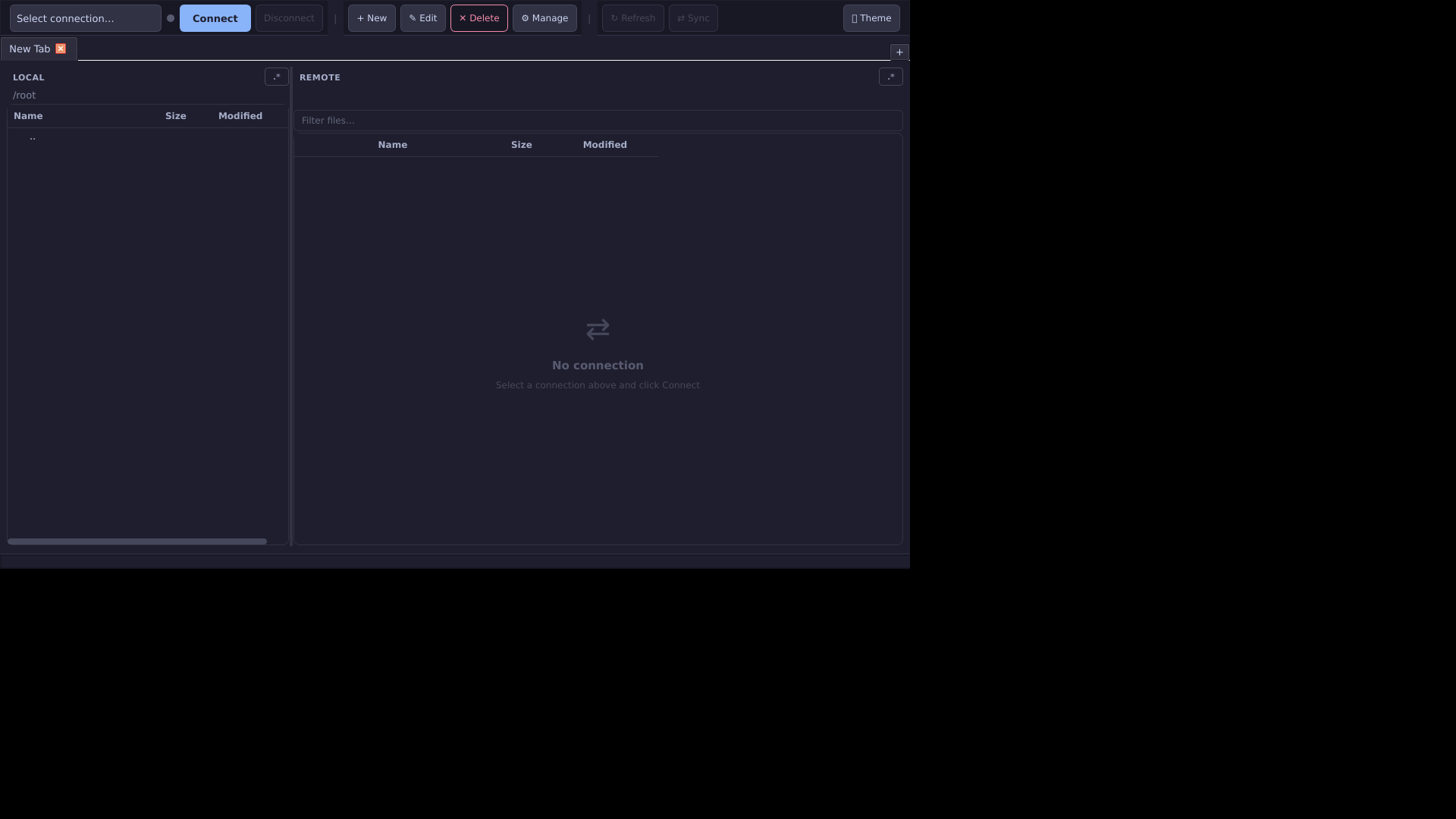
openSFTP 0.1.0: clean dual-pane layout with dark theme and minimal chrome.
Where FileZilla wins
FileZilla has real advantages that benchmarks do not erase.
- Download size: 11.5 MB versus 182 MB. That is 16x smaller.
- FTP and FTPS support: openSFTP only does SFTP. If you need FTP, FileZilla is the tool.
- 20+ years of stability: Millions of users, extensive documentation, known behavior.
- Available everywhere:
apt install filezillaon any Debian-based system. - Site manager: Mature connection management that many sysadmins already know.
- Broader commercial suite: FileZilla Pro, Enterprise Server, CLI tools.
If your team already uses FileZilla, the cost of switching is not just technical. It is workflow, muscle memory, and operational habit.
Where openSFTP wins
openSFTP wins in areas that matter for daily use.
- 5.5x faster cold startup: 908 ms versus 5004 ms. You feel this every time.
- Half the virtual memory: 339 MB VmSize versus 839 MB.
- Same physical RAM: 121 MB versus 118 MB at idle. No penalty.
- Modern UI: 6 themes (Dark, Light, Nord, Dracula, Solarized Dark, Frost), command palette (Ctrl+P), keyboard shortcuts overlay.
- Cross-session transfers: Drag files between server tabs.
- 1982 automated tests: FileZilla’s test coverage is not publicly documented.
- MIT license: Simpler than FileZilla’s GPL for commercial integration.
- Hackable: Python codebase, easy to read, modify, and extend.
- $19 Pro (one-time): FileZilla Pro is $19.99. openSFTP Pro adds tabs and team profiles.
Quick start
git clone https://github.com/AsyncSan/opensftp.git
cd opensftp
python3 run.py
One command. Creates the virtual environment, installs dependencies, launches the app.
Related comparisons
- openSFTP vs WinSCP
- openSFTP vs Cyberduck
- openSFTP vs Transmit
- openSFTP vs MobaXterm
- openSFTP vs Termius
Verdict
FileZilla is smaller. openSFTP is faster.
If you only need SFTP and want a modern, responsive client that launches in under a second, openSFTP is the more interesting option. If you need FTP/FTPS, prefer battle-tested software with two decades of history, or care about download size on slow connections, FileZilla is still a strong choice.
The benchmark data is real. The tradeoffs are clear. Pick the one that fits your workflow.